Software Installation
Professional HP DeskJet 3520 software and driver installation on Mac, including compatibility checks, macOS version verification, and complete configuration to ensure your printer works flawlessly from day one.

Getting your HP DeskJet 3520 up and running on a Mac shouldn't be a frustration. Whether you need the latest compatible drivers, software installation help, or hands-on setup support across Sonoma and Marin counties, All Pro Computer Solutions has over 25 years of experience making Mac and printer setups seamless, fast, and stress-free.
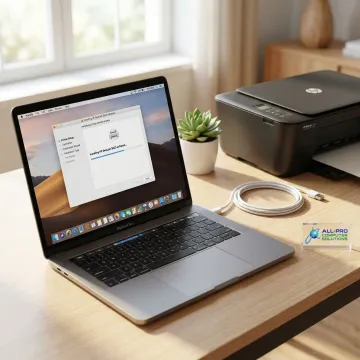
From driver downloads to full software setup, we handle every aspect of your Mac and printer configuration.
Professional HP DeskJet 3520 software and driver installation on Mac, including compatibility checks, macOS version verification, and complete configuration to ensure your printer works flawlessly from day one.
Expert diagnosis and repair for Mac hardware and software issues. If printer connectivity or driver conflicts are slowing you down, our technicians identify root causes and deliver lasting fixes using quality parts.
Set up your HP DeskJet 3520 on your home or office Wi-Fi network seamlessly. We resolve weak signals, connectivity drops, and network configuration issues so your printer stays reliably connected.
Secure your Mac with regular backups before any major software or driver update. We implement external and cloud backup solutions to protect your critical files during printer software installations.
Comprehensive home computer support covering your entire setup — from printer drivers to full network configuration — so every device in your home office communicates perfectly with your Mac.
Ongoing technical assistance for Mac users managing peripherals like the HP DeskJet 3520. We handle updates, troubleshooting, and software maintenance so your workflow stays smooth and uninterrupted.
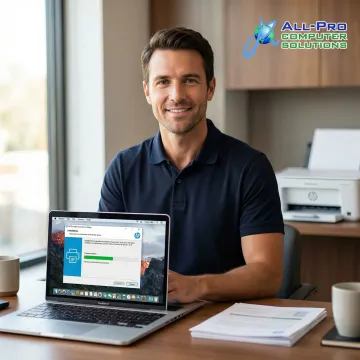
We start by identifying your exact macOS version and HP DeskJet 3520 model variant to confirm driver compatibility. Many Mac users in Sonoma and Marin counties encounter silent compatibility mismatches — we catch them before they cause problems.
See how North Bay Mac users got their HP printers working perfectly with help from APCS.
"I have been a Mac user since day 1. Richard gave me simple tips no one else has that helped my computer run faster. Richard knows his stuff thank you for your support! I have recommended Richard to friends and clients."

"Absolutely fantastic service! My phone's screen was cracked, and GadgetFix had it fixed in no time. The repair was flawless, and the customer service was top-notch. Highly recommend!"

"I have been a Mac user since day 1. Richard gave me simple tips no one else has that helped my computer run faster. Richard knows his stuff thank you for your support! I have recommended Richard to friends and clients."
"Absolutely fantastic service! My phone's screen was cracked, and GadgetFix had it fixed in no time. The repair was flawless, and the customer service was top-notch. Highly recommend!"
"I have been a Mac user since day 1. Richard gave me simple tips no one else has that helped my computer run faster. Richard knows his stuff thank you for your support! I have recommended Richard to friends and clients."
"Absolutely fantastic service! My phone's screen was cracked, and GadgetFix had it fixed in no time. The repair was flawless, and the customer service was top-notch. Highly recommend!"
North Bay's trusted IT partner for over 25 years — here's what sets us apart for Mac and printer support.
Serving Mac users across Sonoma and Marin counties since 1998 with deep macOS and peripheral knowledge.
A family-owned North Bay business built entirely on word-of-mouth referrals, not advertising or franchises.
One of the fastest response times in the North Bay Area, with emergency support available on a case-by-case basis.
We tailor every solution to your exact Mac setup and budget — no one-size-fits-all fixes, ever.
Skilled technicians dedicated to making your Mac and printer work perfectly.
Technician
Richard is a highly skilled technician at All Pro Computer Solutions with deep expertise in Mac hardware, software, and peripheral configuration. He specializes in emergency technical support, data recovery, and building specialized computers for both business and personal use. When it comes to printer driver installations and Mac software troubleshooting, Richard is known for his methodical approach — diagnosing root causes rather than applying quick fixes. He has earned a strong reputation throughout the North Bay Area for providing simple, practical tips that help computers and connected devices run faster and more reliably. Recommended by numerous clients to friends and colleagues across Sonoma and Marin counties, Richard's hands-on expertise and client-first attitude embody the APCS philosophy of concierge-level IT care.
The HP DeskJet 3520 has limited native support on newer macOS versions (Ventura, Sonoma, and later). Apple's built-in AirPrint driver may provide basic printing functionality, but full features like ink level monitoring and advanced settings require the HP software package. We recommend checking HP's official support page and can assist you in identifying the best driver option for your specific macOS version.
Talk to a Mac expert at APCS for fast, straightforward answers and same-week support.
APCS provides on-site Mac and printer support across the North Bay Area, from Marin to Mendocino.
Marin to Mendocino
Service Coverage
1998
In Business Since
Nearly 500
Computers Supported
Call us to confirm on-site availability in your neighborhood — travel charges may apply for longer distances.

Serving the North Bay since 1998 with consistent excellence.
100% organic growth driven by client referrals and satisfaction.
Supporting nearly 500 Mac and PC clients remotely for over 25 years.
Fill out the form below and an APCS technician will reach out to schedule your Mac and printer setup, whether remotely or at your North Bay location.
For immediate assistance, feel free to give us a direct call at (415) 900-8928. You can also send us a quick email at apcs.rd@gmail.com
For immediate assistance, feel free to give us a direct call at (415) 900-8928. You can also send us a quick email at apcs.rd@gmail.com