CPU & GPU Repaste
We remove degraded factory thermal paste from your laptop's CPU and GPU and apply premium-grade compound to restore optimal heat transfer, reduce temperatures, and prevent thermal throttling.

Is your laptop throttling, overheating, or shutting down unexpectedly? Degraded thermal paste is often the silent culprit—especially in North Bay homes and offices where machines run hard year-round. All Pro Computer Solutions' expert repaste service restores peak cooling performance, extending your laptop's lifespan and keeping it running fast, quiet, and reliable.
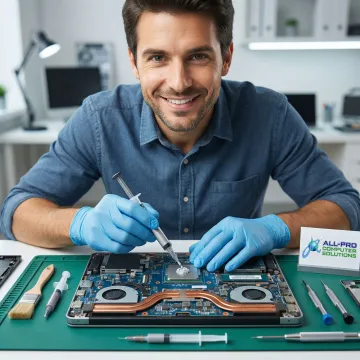
Comprehensive thermal solutions to keep your laptop cool, fast, and running at its full potential.
We remove degraded factory thermal paste from your laptop's CPU and GPU and apply premium-grade compound to restore optimal heat transfer, reduce temperatures, and prevent thermal throttling.
Dust-clogged heat sinks choke airflow and spike temperatures. Our technicians deep-clean fins, fans, and vents to restore full cooling capacity and eliminate overheating at the source.
Dried or cracked thermal pads on memory chips and voltage regulators cause heat buildup across the board. We replace worn pads with quality alternatives matched to your laptop's specifications.
Whether you run a MacBook or a Windows laptop, our technicians are skilled in disassembling and servicing both platforms using quality parts and manufacturer-appropriate thermal materials.
Overheating laptops can mask or accelerate battery degradation. We assess battery health alongside thermal repairs to ensure your device is both cool and reliably powered after every service.
After every thermal service, we run stress tests and temperature monitoring to verify stable operation under load—so you leave with confidence that your laptop is genuinely fixed.
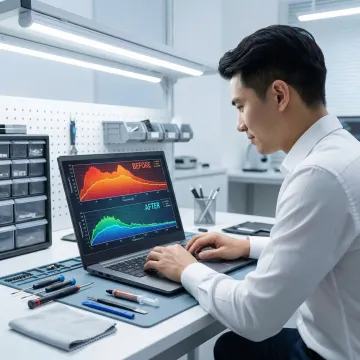
We start by recording your laptop's idle and load temperatures using diagnostic software to confirm thermal paste degradation is the root cause—ruling out fan failure or other hardware issues before any disassembly begins.
See how we've helped North Bay laptop owners reclaim speed, silence, and reliability through expert thermal care.
"Absolutely fantastic service! My phone's screen was cracked, and GadgetFix had it fixed in no time. The repair was flawless, and the customer service was top-notch. Highly recommend!"

"I have been a Mac user since day 1. Richard gave me simple tips no one else has that helped my computer run faster. Richard knows his stuff thank you for your support! I have recommended Richard to friends and clients."

"Absolutely fantastic service! My phone's screen was cracked, and GadgetFix had it fixed in no time. The repair was flawless, and the customer service was top-notch. Highly recommend!"
"I have been a Mac user since day 1. Richard gave me simple tips no one else has that helped my computer run faster. Richard knows his stuff thank you for your support! I have recommended Richard to friends and clients."
"Absolutely fantastic service! My phone's screen was cracked, and GadgetFix had it fixed in no time. The repair was flawless, and the customer service was top-notch. Highly recommend!"
"I have been a Mac user since day 1. Richard gave me simple tips no one else has that helped my computer run faster. Richard knows his stuff thank you for your support! I have recommended Richard to friends and clients."
With over 25 years serving North Bay homes and businesses, we bring expertise, honesty, and genuine care to every repair.
Serving Sonoma, Marin, and Mendocino counties since 1998, our technicians have the hands-on experience to handle any laptop model with confidence.
We use only high-grade thermal materials and quality components in every repair, never cutting corners on the parts that matter most.
As a North Bay–based business with locations in Healdsburg and San Rafael, we offer one of the fastest response times in the area with minimal wait.
We diagnose first, explain your options clearly, and only proceed with your approval—so you always know what you're paying for before work begins.
Skilled technicians dedicated to bringing your device back to life.
Senior Technician
Richard is the backbone of hands-on technical work at All Pro Computer Solutions, bringing deep expertise in hardware diagnostics, thermal management, and data recovery. Renowned throughout the North Bay for his ability to explain complex technical issues in plain, approachable terms, Richard has built a loyal following of clients across Sonoma and Marin counties who trust him with their most critical devices. Whether he's applying thermal compound to a heat-stressed MacBook, recovering data from a failing drive, or building a custom workstation for a small business, Richard approaches every job with precision and care. His reputation for sharing simple, actionable tips that keep computers running faster and longer has earned him consistent referrals from satisfied clients across the region.
Most laptops benefit from a repaste every 2–4 years, but you should act sooner if you notice sustained high temperatures (above 90°C under normal load), unexpected shutdowns, loud fan noise, or significant performance slowdowns. Factory thermal paste often begins degrading within 3 years, especially in laptops used daily in warm home-office environments.
Talk to our expert technicians for honest advice and a free assessment of your thermal issue.
Serving homes and businesses across the North Bay, from Marin County to Mendocino County.
3 Counties
Service Area
Mon–Fri, 8–5 PM
Availability
25+ Years
In Business
Contact us to confirm coverage along the Hwy. 101 corridor and surrounding communities.

Trusted North Bay IT provider since 1998.
Grown entirely through client referrals and recommendations.
All hardware repairs use only high-grade, reliable components.
Fill out the form below and one of our technicians will get back to you promptly to schedule your repaste service or answer any questions about your device.
For immediate assistance, feel free to give us a direct call at (415) 900-8928. You can also send us a quick email at apcs.rd@gmail.com
For immediate assistance, feel free to give us a direct call at (415) 900-8928. You can also send us a quick email at apcs.rd@gmail.com